Panel-by-Panel Reading on iPhone
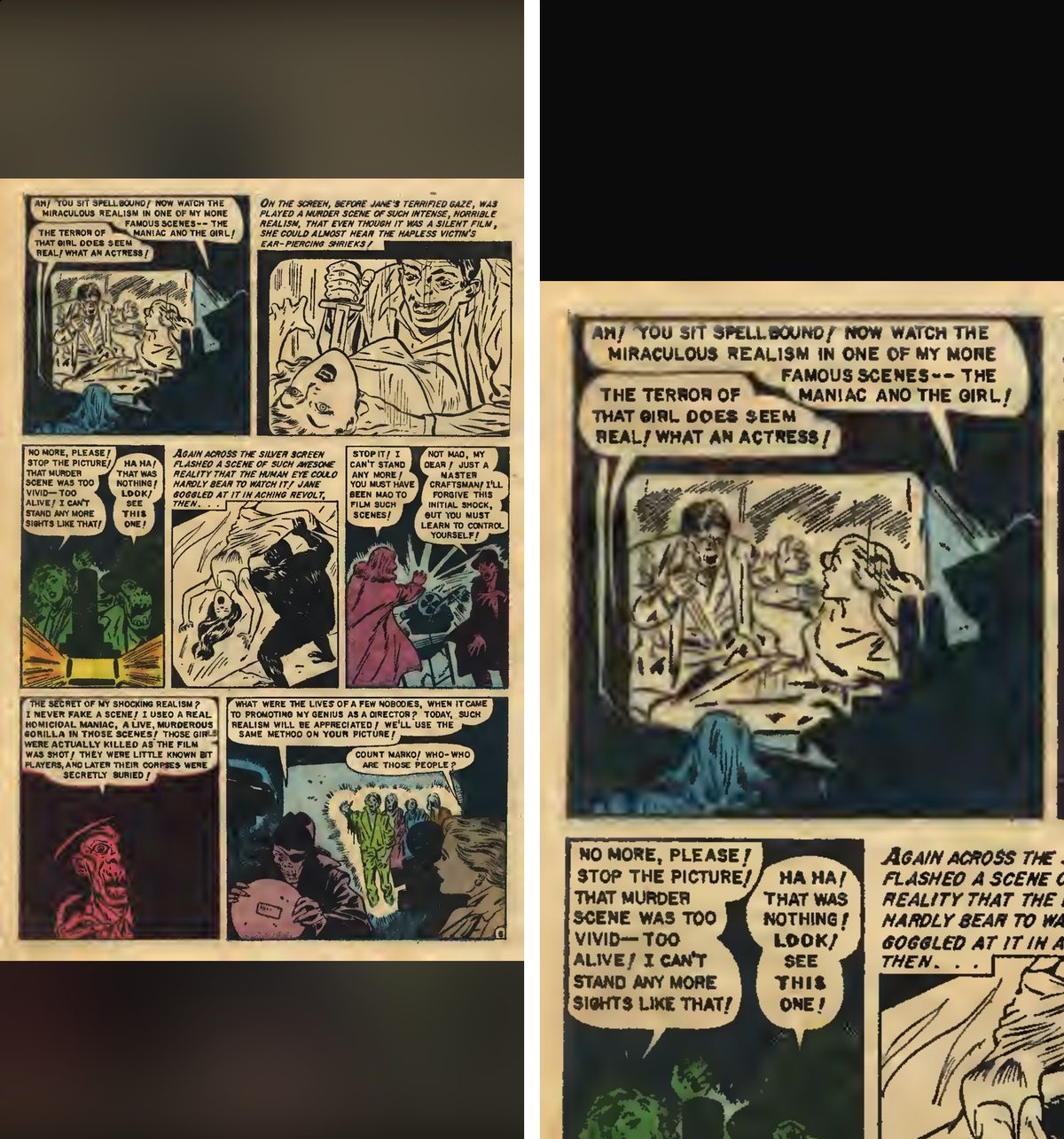
A comic page is drawn for print. On a phone that means pinching and panning. Guided mode in ComicVerse takes you through the page one panel at a time instead, in reading order, on comics you already own.
What It Does
- One panel fills the screen, then the next, with a smooth move between them. At the last panel, the next tap goes on to the next page.
- Panels are found on your iPhone, for the page you're on. Nothing is uploaded.
- If it can't find a page's panels, it shows the whole page.
- It's part of the free reader: no subscription and no ads.
Turn It On
- Open a comic.
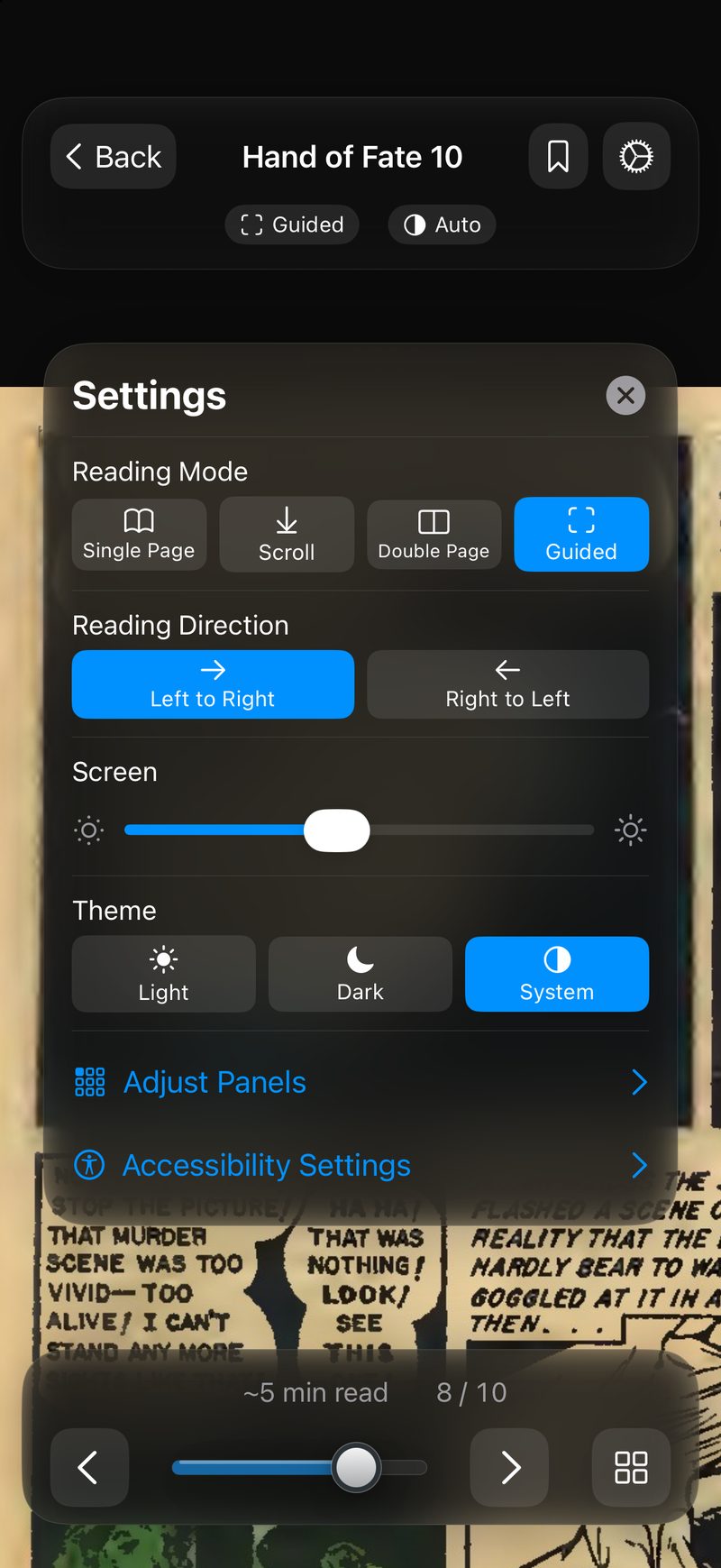
- Tap once to show the controls, then tap the mode pill or the gear.
- Choose Guided.
Fix a Panel It Gets Wrong
Guided looks for the gutters between panels, so it does best on pages with clear borders. Splash pages, art that runs across the borders and overlapping panels can fool it. It may split a caption box from the art below it, or take two panels side by side as one. In Guided, open the reader settings (the gear) and tap Adjust Panels to fix that page: tap a panel to select it and tap Delete, drag across the page to draw one, then tap Done.
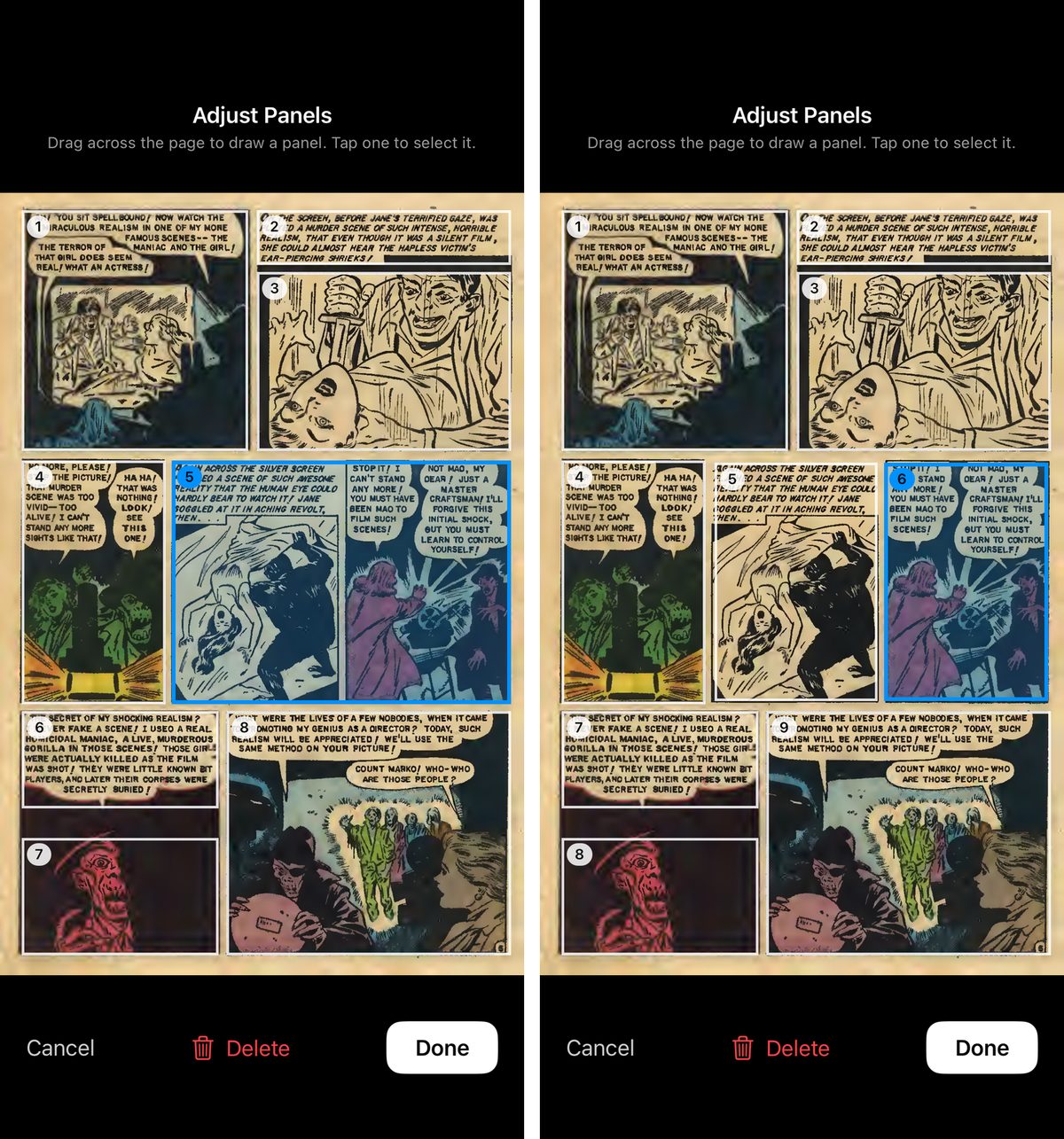
Your panels are kept for the next time you read the comic, on that iPhone. They aren't synced to your other devices.
Manga
Set Right to Left in the reader settings before you start reading. Guided then reads each row of panels from right to left, top row first, including panels you drew yourself.
Where It Works
On comics on your device and in Files, comics imported from Dropbox, and comics you download from your Komga or Kavita server. Download a book first: Guided doesn't go panel by panel while a book is streaming.
Other Apps That Do This (October 2026)
- Smart Comic Reader: built around panel zoom. $2.99, for files in iCloud Drive and on the device, with no server support.
- Panels: a panel-by-panel guided view, listed among its experimental features.
- YACReader: guided reading since 2022, with better panel detection in version 3.41 (October 2026). $4.99.
If you read on Marvel Unlimited with Smart Panels: those comics stay in Marvel's app. Guided is for the DRM-free CBZ, CBR and PDF files you own.
See Also
- The Reader for the other reading modes and settings
- Read CBR & CBZ Files on iPhone & iPad
- OPDS reader for iPhone and iPad