Troubleshooting

Quick fixes for common issues. If your problem isn't here, email [email protected] with your device model, iOS version, and the steps that trigger it.
Import and Files
"Unsupported format" when importing
- Verify the extension is CBZ, CBR, CB7, CBT, PDF, or EPUB
- Open the file on a computer to check it isn't corrupted
- Make sure the archive contains images, not documents
- DRM-protected files can't be opened
"Password protected" when importing
- ComicVerse can't open encrypted archives. Remove the password on a computer and re-compress
Comic imported but has no cover
- Covers generate from the first page and can take a minute for large files, so check back shortly
- If it never appears, the file may be damaged. Try re-importing
Pages appear out of order
- Pages sort by filename. Number them with equal digits (
001.jpg,002.jpg, and so on), then re-compress
OPDS and Downloads
Server won't connect
- Include the protocol in the URL (
https://) - Paste the full catalog URL into Safari first. If it doesn't load there, or asks for credentials that fail, the problem is the URL or account rather than the app
- Komga URLs look like
https://<your-server-url>orhttps://<your-server-url>/opds/v1.2/catalog. Kavita uses the personal OPDS URL from your user settings - Servers on your home network are only reachable on the same Wi-Fi unless exposed via HTTPS or VPN
Download failed
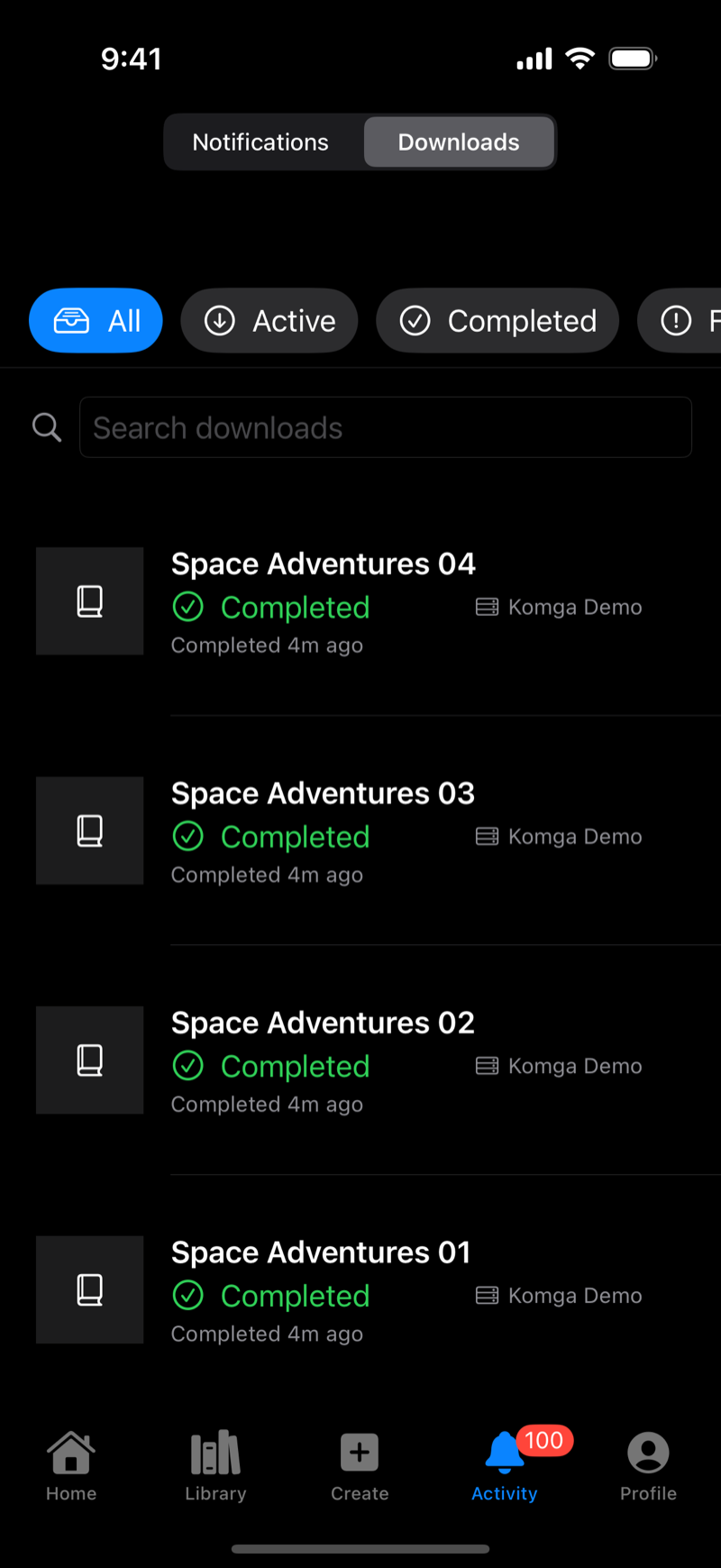
- Open Activity → Downloads, filter by Failed, and tap retry
- Failed downloads are also retried automatically in the background
- Check the server is still reachable and your connection is stable
Streaming won't start
- Streaming needs a server that supports it. Komga always does, other servers must support HTTP range requests. If streaming isn't offered, download instead
Library
A comic isn't showing up
- Make sure the All filter is selected and the search bar is empty
- It may be grouped inside a series stack. Tap the stack or search its title
- Check Archive, since archived comics are hidden from All
Progress or favorites not syncing
- Sync requires being signed in on every device (Profile tab)
- Give it a minute and pull to refresh, and check your connection
Canvas and Drawing
Eraser doesn't work
- The eraser removes whole strokes. Drag across the stroke itself, not near it
- Make sure the eraser tool is actually selected
Can't move something
- Switch to the Select tool, tap the text element, then drag
- Only text elements can be moved. Drawn strokes and shapes can't be repositioned after drawing
Undo won't go further back
- Undo covers the last 100 steps, and Clear Canvas can't be undone
Can't find a project
- Canvas menu (⋯) → Go to Projects, then search by title or tag
- Autosaved work appears as a project even if you never saved manually
AI Generation
The Refine button asks me to sign in
- AI generation requires an account. Sign in with Apple from the sheet or the Profile tab
Generation failed
- Credits for failed pages are refunded automatically
- Tap retry, or adjust the prompt and generate again
- In a multi-page run, only the failed page needs retrying. The others are kept
- Check your connection, since generation runs in the cloud
Not enough credits
- Go to Profile → Credits → Top Up, or pick a cheaper model or fewer pages. The sheet shows the total before you confirm
Result doesn't match my description
- Add specifics like character details, setting, lighting, and camera terms ("close-up", "wide shot")
- Regenerate with a refined prompt, or use Refine on the page to request changes
- Never rely on AI for lettering. Erase garbled text and use the Text tool
Generation seems stuck
- Full pages take a couple of minutes, and progress is shown per page
- It's safe to leave the canvas or close the app. Generation continues and notifies you via Activity
App
App crashes or misbehaves
- Close and reopen the app
- Restart your device
- Update via the App Store
- Still broken? Email [email protected] with the details
Storage filling up
- Comics are stored locally. Delete finished downloads, or keep the bulk of your collection on an OPDS server and stream
- You can inspect the library folder in the Files app under On My iPhone/iPad → ComicVerse